The Delay After “Send Me a Quote”
The prospect describes the project, you ask the right questions, and the next step becomes clear: "Send me a quote."
Then nothing happens for three days.
Not because you are lazy. A proper estimate competes with delivery work, and rebuilding its structure from a blank page adds preparation before the real scope and pricing decisions begin.
That gap creates uncertainty. The prospect does not know whether the request is moving, and you still have to rebuild scope, pricing, and terms from scattered notes.
Do not borrow a universal speed benchmark. Measure your own time from completed discovery to reviewed proposal, then compare that delay with prospect follow-up, corrections, and close outcomes.
You probably already know the first half: respond fast to the initial inquiry. But there is a second bottleneck that gets less attention: the proposal itself.
A fast acknowledgement does not solve a proposal bottleneck. Measure the full path from complete scope to a reviewed estimate, including pricing corrections and unanswered questions.
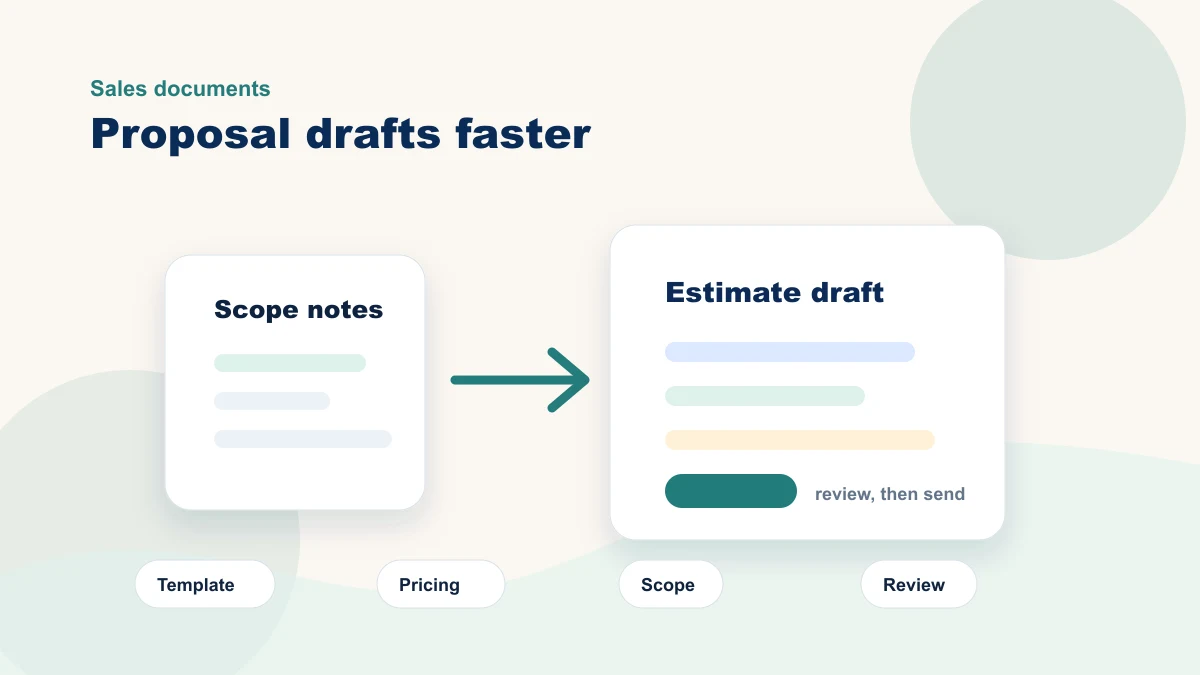
AI cannot decide your pricing, inspect a job site, or understand every client nuance. It can prepare a first draft from an approved template, pricing sheet, and scope notes. A person still verifies every number, boundary, promise, and term before the proposal leaves the business.
AI prepares a proposal draft from approved scope, price, and template sources. A person verifies every number, boundary, promise, and term.
Measure the Proposal Delay You Control
A prospect is excited on Tuesday. By the time your estimate lands on Friday, the enthusiasm has cooled.
The relevant pattern is inside your own process: how long a complete scope waits, how much time the first draft takes, how often pricing is corrected, and how many follow-ups arrive before the proposal is ready.
Timing may matter, but it is not the only variable. Fit, trust, scope clarity, price, urgency, and competition all affect the decision. Treat turnaround time as one metric, not the explanation for every win or loss.
A faster reviewed proposal can reduce uncertainty while the conversation is still current. A rushed or inaccurate proposal can damage trust. The workflow has to improve speed without weakening scope or price review.
If lead response is also delayed, measure it separately from proposal preparation. Pair this workflow with the speed-to-lead guide so a fast acknowledgement is not confused with a reviewed estimate.
The review standard should be explicit: every line item, scope boundary, exclusion, price, date, and term must be accurate enough for the decision it supports.
Do not trade accuracy for a same-day badge. Use AI to prepare the repeatable structure, then give the consequential details the review they require.
The prospect experiences both responsiveness and accuracy. Your workflow should protect both.
Speed does not replace accuracy, and a proposal should not leave the business with a placeholder price, scope, or term. Measure the wait to a fully reviewed proposal alongside correction rate and follow-up quality.
How AI Turns Your Existing Templates Into Proposals
The method depends on three controlled inputs you already have: an approved template, current pricing, and the verified scope for this job. AI prepares structure from those sources; it does not invent the offer.

The Two-File Method
File one is your proposal template. If you have sent estimates before, you have one, even if it lives as a mental checklist.
Open a blank document and dump everything you normally include: company intro, scope description, line items, payment terms, timeline, and those disclaimers you learned to include the hard way. It does not need to be pretty. It needs to exist as text AI can read.
File two is your pricing sheet. This is not your internal cost calculation. It is the prices you present to clients, organized by service category. If you price by the job rather than by line item, list your last ten jobs with brief descriptions and what you charged.
When a new estimate request comes in, paste both files into ChatGPT or Claude along with your notes from the prospect conversation.
Example prompt
"I need a proposal for a residential kitchen remodel. Scope: remove existing cabinets and countertops, install new shaker cabinets, quartz countertops, tile backsplash, and under-cabinet lighting. Use my pricing sheet for line items. Use my template for structure. The client mentioned a $25,000 budget and wants work completed by August."
AI prepares a proposal draft from those controlled inputs. Record draft time separately from the qualified review of quantities, pricing, scope, exclusions, dates, and terms.
Here is the counterintuitive part. AI writes better proposals when you restrict it. Give it your pricing, your structure, your disclaimers, and your voice, and it produces something that sounds like you.
Ask it to be "creative" with no constraints, and it produces generic consulting-speak no client trusts. The tighter your inputs, the more natural the output.
A generic proposal draft often signals missing context or weak voice guidance, but the model can still produce poor wording with complete inputs. Review tone, accuracy, scope, exclusions, price, and approval on every draft.
An approved proposal example can give the model evidence of sentence rhythm, specificity, and scope structure. It may imitate those patterns inconsistently, so the reviewer still applies explicit voice and accuracy rules to every draft.
Choose the Tool After You Define the Proposal System
Start with the materials the workflow needs: an approved proposal template, controlled pricing, scope notes, exclusions, terms, and a named reviewer. Then decide whether your current document tool, CRM, field-service platform, or a general AI assistant can support that process.
Compare tools on data handling, access control, source grounding, pricing controls, export format, revision history, integration with your current system, and the ease of human review. Product tiers and features change; verify them directly with the vendor before buying.
Run the same low-stakes scope through each serious candidate. Measure preparation time, review time, invented details, pricing errors, formatting cleanup, and how easily the final version returns to your system of record.
The tool matters less than the controlled handoff. Keep one source for pricing and terms, require review, and judge the workflow on real proposals before expanding.
What AI Still Gets Wrong: The Human Checklist
AI prepares; you decide. Here are four areas a draft can get wrong and five elements an AI-assisted proposal needs for review.

| Risk | What AI may do | What you should verify |
|---|---|---|
| Pricing accuracy | Suggest a price that sounds reasonable without knowing your costs. | Verify every dollar, quantity, labor rate, and margin. |
| Scope creep | Include everything the client mentioned without drawing boundaries. | Add exclusions, assumptions, permit responsibility, and change-order language. |
| Local regulations | Reference general rules that may not apply in your city, state, or industry. | Confirm any permit, license, compliance, or code language yourself. |
| Tone | Default to polished, safe, anonymous sales language. | Read it aloud and rewrite anything you would not say on a call. |
A good AI-assisted proposal contains specific line items with quantities and unit prices, clear inclusions and exclusions, a defined timeline with milestones, payment terms, and your actual contact information. If the draft in front of you is vague on any of those five elements, the AI needs more input, not less review.
Your First Month: From Manual to AI-Assisted
The goal in month one is not to automate every proposal. It is to build one reusable, supervised system and compare its preparation time, review time, corrections, and turnaround with the current process.
| Timing | Action | What to improve |
|---|---|---|
| Day 1 | Gather your proposal structure, boilerplate, disclaimers, and pricing. | Turn scattered knowledge into a reusable template and pricing sheet. |
| Week 1 | Run one low-stakes proposal through the AI workflow. | Mark what AI got right, what it invented, and what instructions were missing. |
| Weeks 2-4 | Use the system on three to five real proposals. | Update the template and pricing sheet after each send. |
| Ongoing | Review proposals every Monday. | Archive winners, study losses, and tighten the inputs. |
Day 1: Gather Your Materials
Open a document and dump your standard proposal structure: every section heading, every boilerplate paragraph, every disclaimer you have learned to include. Open a spreadsheet and list your services with prices.
If you do not have a standard structure because every job is different, list your last five proposals and highlight the parts that repeat. Look for the sections, fields, and review checks that repeat.
Week 1: Build and Test Your First Prompt
Take those two files from day one, paste them into your chosen AI tool, and add a real but low-stakes scope description. Use a small job where a mediocre draft has low consequences.
Read the output. Mark what the AI got right and what it invented. Refine the prompt once. Add a line like "Always include payment terms of 50% deposit, 50% on completion," then test again with a different scope.
Weeks 2 through 4: Run Real Proposals
Run three to five actual proposals through the system. After each one, spend five minutes improving your template and pricing sheet based on what the AI consistently missed.
If it keeps omitting your warranty language, add it to the template permanently. If it misprices a service category, fix your pricing sheet immediately. Each proposal feeds the next one.
Ongoing: The Monday Review
Every Monday, pull up your proposals from the previous week.
For each one that won, archive the final version and update your pricing sheet if anything changed during negotiation. For each one that lost, check the gap between the prospect's request and your sent proposal. If your records show that delay was a factor, map where the wait occurred before changing the workflow.
After the first month, inspect where time and corrections remain. The template, pricing source, scope notes, prompt, or review process may be the bottleneck. Improve the weakest input instead of assuming the AI tool is the answer.
FAQ
Won't AI proposals sound generic and hurt my close rate?
Generic output can come from weak source material, vague voice rules, or the model itself. Supply approved examples, name the patterns to preserve, log reviewer corrections, and reject drafts that still do not meet the standard.
I've heard too many stories about AI making up numbers. How do I prevent that?
Never let AI set a price you have not approved. Give it your pricing sheet up front, and include this line in every prompt: "Use only the prices listed in my pricing document. If a line item you need is not listed, leave the price blank and flag it for me." The model may fail to flag a gap even when instructed. Keep the instruction, then verify every number and missing item before anything reaches a client.
I don't have old proposals to build a template from. Can I still do this?
Start with a controlled structure: company name, approved introduction, scope, timeline estimate, price, payment terms, and exclusions. Treat the first template as a test source; revise it when reviewers find recurring omissions or unclear boundaries.
What if my pricing is genuinely custom for every job?
Even when pricing is custom, the proposal structure may repeat. AI can organize scope notes into logical sections and suggest blank line-item categories from an approved template. You supply and verify every number; the tool never infers a price from what merely sounds reasonable.
Is this really worth the setup for two or three proposals a month?
Use your own volume and baseline. Add preparation time, review time, correction time, tool cost, and setup cost. A low-volume workflow is worth keeping only if the measured benefit or consistency improvement exceeds that total effort.
Measure Your Own Baseline
For the next five proposals, record when discovery ended, when the first draft was ready, when review ended, how many corrections were required, when the proposal was sent, and the final outcome. That evidence is more useful than a borrowed industry average because it reflects your offer, team, price, and sales process.
Closing Thought
A useful proposal proves that you paid attention. AI can prepare structure from what the prospect told you, but specificity, accuracy, pricing, and voice still depend on your source material and final review.
If you want help turning your existing estimates, pricing notes, and sales documents into a repeatable AI-assisted workflow, book a free 15-minute bottleneck review. We can look at one real proposal process and decide what the first useful version should look like.