Your crew is diagnosing a water heater, installing a furnace, or moving between jobs when an inquiry arrives. Without an owned handoff, the message waits until someone reaches a desk or the customer looks elsewhere.
Photos, notes, and a problem description may arrive before a visit. AI may prepare an intake summary or estimate draft from controlled sources; it cannot replace inspection, diagnosis, licensed judgment, or approval.
The useful line is practical: AI may prepare work between jobs, while licensed expertise, diagnosis, price, safety, warranties, and customer promises stay with qualified people.
The handoff between the field and the office
Field teams handle urgent jobs and scheduled maintenance, not a predictable desk queue. Candidate workflows sit between those jobs: missed-call acknowledgement, paperwork drafts, follow-up preparation, and structured data entry. Each one still needs approved inputs, an owner, exceptions, and a measurable baseline.
Do not delegate a complex HVAC retrofit, foundation repair, diagnosis, or final estimate to AI. It may prepare a draft from approved photos, notes, and pricing sources for a qualified person to verify.
Choose the first workflow by frequency, input quality, review ownership, and field risk. A missed-call acknowledgement and an estimate draft may look similar in software, but they carry very different consequences.
Five candidate workflows for trades
Missed-Call Text-Back
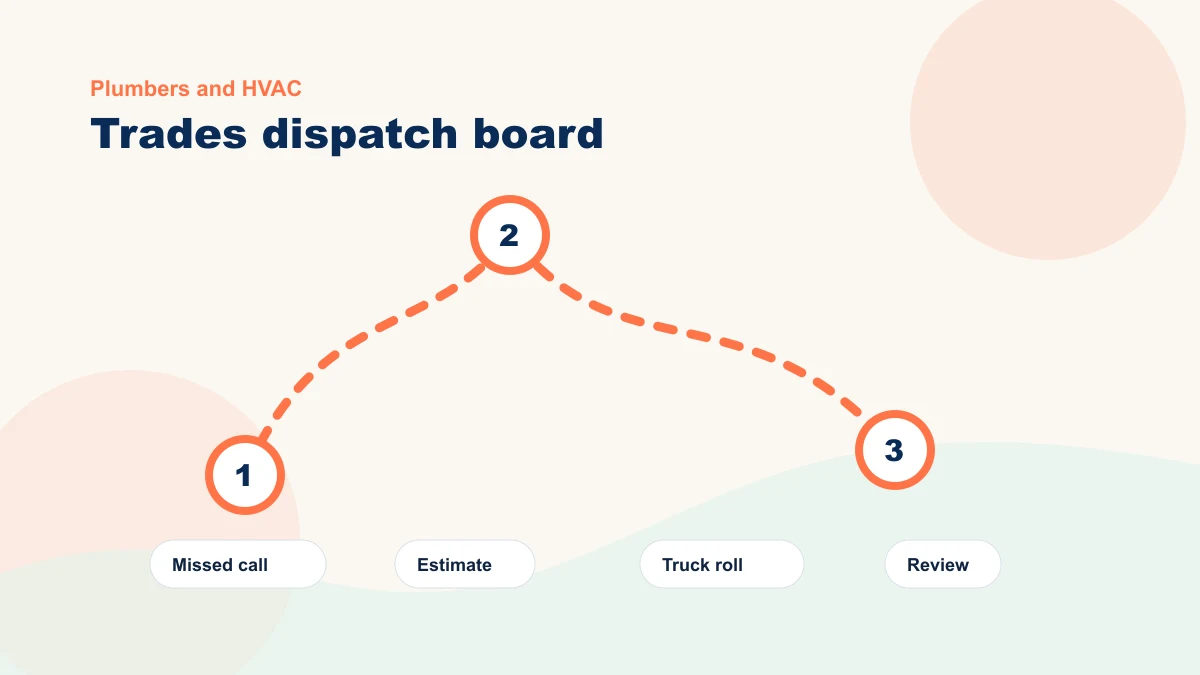
A customer calls during a service visit. A pre-approved text can confirm the missed call and offer a callback or text path. Measure responses and booked jobs from that path; do not let the message promise availability, diagnosis, or price.
AI-Drafted Estimates from Photos and Notes
Your technician takes photos and voice notes on site. AI can prepare a first-pass estimate from approved pricing and job descriptions. A qualified person verifies the diagnosis, scope, quantity, exclusions, price, and local requirements. Compare total preparation plus review time with the old process.
Automated Job Follow-Up
When a job is marked complete, a workflow may prepare an approved thank-you or next-step message. A person or documented rule verifies completion, consent, recipient, timing, and whether an open issue should stop the message.
Review Collection
A review-request draft can be queued after an eligible completed job. Define eligibility, consent, open-issue exclusions, reviewer ownership, and the response or review-completion metric before enabling the step.
AI-Assisted Scheduling
AI may surface verified availability or prepare alternatives from current scheduling data. A dispatcher still owns emergency priority, travel constraints, skills, parts, double-booking exceptions, and any promise made to the customer.
Tech Notes into Invoices
A technician logs findings, work completed, photos, and recommendations. AI may prepare an invoice-summary draft; a qualified reviewer verifies every line item, price, recommendation, warranty statement, and attachment.
Map the handoffs across a field-service day
| Task | Current baseline to record | Bounded AI-assisted test |
|---|---|---|
| Missed calls during morning jobs | Missed-call volume and median reviewed-response delay | Approved acknowledgement is queued; a person owns the substantive reply |
| Writing up a job estimate | Drafting, review, correction, and approval time | Draft prepared from notes; qualified reviewer verifies scope and price |
| Following up after service | Follow-up completion rate, delay, and open-issue exceptions | Approved follow-up is prepared with consent, timing, and stop rules |
| Scheduling callbacks | Scheduling touches, response delay, and exception rate | Verified slots are surfaced; dispatch rules and exceptions remain owned |
| Invoice summary from job notes | Summary, correction, and invoice-preparation time | Summary draft links notes and photos; reviewer verifies the invoice record |
The table is an example workflow, not a time-savings forecast. Record your own missed calls, drafting time, correction time, response delay, and booked-job outcomes before and after the test.
| Workflow | Baseline and workload to record | Revenue signal to watch |
|---|---|---|
| Missed-call text-back | Missed-call count, median response time, and reviewed-message minutes | Calls that turn into booked jobs after the text |
| Estimate drafts from notes | Draft plus review minutes, correction rate, and turnaround | Estimate turnaround time and approval rate |
| Invoice summary cleanup | Summary plus review minutes, correction rate, and billing questions | Fewer billing questions and faster invoice sends |
What Needs Your Judgment
AI drafts an estimate, but you always review it before it goes to a customer. Some trade work has too many variables for AI to get right the first time, especially warranty work or complex jobs.
Be careful with warranty language and fine print. AI does not know your local codes, license requirements, supplier terms, or current pricing unless you provide controlled sources. A qualified person must verify those details before anything reaches a customer.
Your reputation depends on accuracy and trust. AI may prepare intake, draft, or summary work, but the workflow still needs approved sources, qualified review, explicit exceptions, and a manual fallback.
Where trades workflows break down
Inspect these three failure modes before a live test:
Test three failure modes explicitly: the scope expands beyond one handoff, source data is missing or stale, or review ownership disappears. Any of those should pause the workflow until the source, exception, or decision path is corrected.
Start with one workflow, measure the full handoff, and expand only if the result improves without adding unsafe promises or correction work. Otherwise revise it or cancel the tool.
Choose one bounded field workflow
Missed-call follow-up is a useful trades candidate when intake can stay neutral, a qualified person owns the reply, and price or availability is never promised automatically.
A missed-call text-back is worth testing when unanswered calls are visible in your own records. After that workflow is stable, compare estimate drafting or scheduling by risk and measurable workload before adding either one.
A trades workflow review starts with how the day actually runs: the source information, the office-to-field handoff, the qualified decision, the exceptions, and the current workload. Only then do we choose one bounded AI-assisted step and decide whether the existing tools are enough.
Want to see what this looks like for your business? Book a free 15-minute bottleneck review and bring one repeated office-to-field task. We will map the handoff and first metric around how the crew actually works. If you want some background reading first, take a look at automation ideas for service businesses, how to turn field knowledge into SOPs, or how my trade-specific setup service works.